[react native] react-native-calendars 캘린더에 마킹하기
반응형
import { Calendar } from 'react-native-calendars';

export default () => {


  const [markedDates, setMarkedDates] = React.useState(null);
  const [dates, setDates] = React.useState(['2021-01-05', '2021-01-20']);

  function addDates() {
    let obj = dates.reduce(
      (c, v) =>
        Object.assign(c, {
          [v]: { marked: true, dotColor: 'red' },
        }),
      {},
    );
    console.log(obj);
    setMarkedDates(obj);
  }

  return (
  <>
  <View>
  	<Calendar
		onDayPress={(day) =>{
        	addDates();
        }}
		markedDates={markedDates}
    />
  </View>
  </>
  )

}

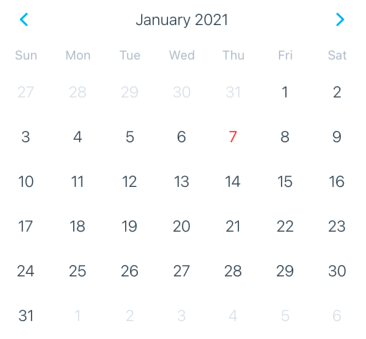
캘린더에 있는 날짜 아무거나 클릭 했을 때 addDates() 를 호출해서
2021-01-05 와 2021-01-20 날짜에
빨간색 마킹이 되도록 해봤다

저 dates state 만 관리해주면
유동적으로 바뀐다
더 자세한 사용법은
github.com/wix/react-native-calendars
wix/react-native-calendars
React Native Calendar Components 🗓️ 📆 . Contribute to wix/react-native-calendars development by creating an account on GitHub.
github.com
반응형
글이 도움이 되셨다면 공감과 광고 클릭 한번 부탁드립니다! 💕
감사합니다 ✨